


Latest News
Huge WhatsApp Update Revealed – How To Use All The New Features From Today

Huge WhatsApp Update Revealed – How To Use All The New Features From Today
WhatsApp is testing new features in the app – and you can try some of them right now.
There are loads of changes coming to WhatsApp, all leaked before their general release.


Most of these new features are available in the beta – the test version of the app.
Scroll down to the bottom of this article to find out how to join that.
The beta app is where WhatsApp tests new features first – to make sure they’re working right.
Only after beta testing do the new features make it to the general WhatsApp app.
Read Also BMW Unveils Car That Changes Colour At Touch Of A Button
The features were revealed by WhatsApp sleuths over at WABetaInfo, a site that regularly leaks new updates to the app.
One new feature in the WhatsApp Desktop beta app is new colours for chat bubbles when you’re using the dark theme.
WhatsApp is also testing a new feature on the iOS beta for enabling and disable message reactions – another new feature coming up.
You can find this setting under Settings > Notifications.
On WhatsApp beta for iOS, there’s a new global voice note player.
That lets you continue listening to voice notes even when you switch to a different chat.
This feature is also expected to come to Android soon.
It’s available in the beta for iOS – but only select users will be able to use it.
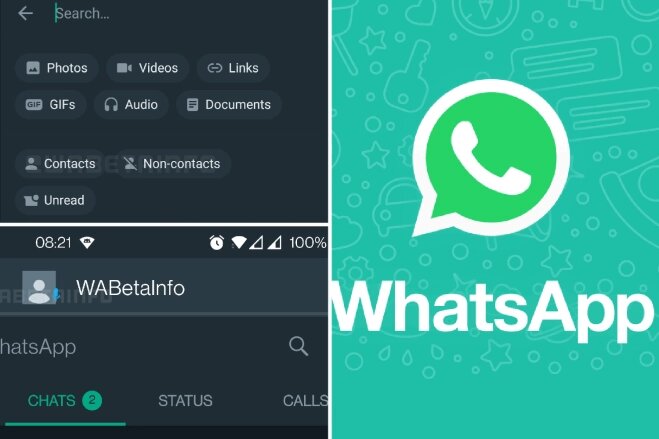
WhatsApp has added advanced search filters for people using the WhatsApp Business beta on Android and iOS.
That lets you filter your chats and messages using special search filters, including contacts, non-contacts and unread.
There are some other features in testing that aren’t available to try.
These features are previewed but haven’t been offered in the beta just yet.
One is a drawing editor update for WhatsApp on Android.
You’ll have new pencils that let you scribble on your WhatsApp images.
There are two new pencils, bringing the grand total to three.
WhatsApp is also developing a feature that can blur images – for both iOS and Android.
How to get WhatsApp beta
To download WhatsApp beta for your smartphone you need to go to Google Play on your Android and search for WhatsApp.
Scroll down the page until you see “Become a Beta Tester”.
Tap the “I’m In” button and then click “Join” to confirm.
Now all you have to do is wait for the update to the beta version of the app.
Joining the WhatsApp beta on iPhone is more difficult, and has limited capacity.

-

 Politics1 week ago
Tinubu Makes Fresh Appointment
-

 Latest News2 days ago
Breaking Political Barriers: Okpebholo Names Enugu-born Igbo Leader to Edo Cabinet
-

 Politics4 days ago
Tinubu Makes New Ambassadorial Appointments, Seeks Senate Confirmation
-

 Latest News1 week ago
Breaking: Okpebholo Backs Words With Action As Edo Moves To Establish Special Court For Cultism And Kidnapping Cases, Writes Chief Judge
-

 Latest News1 week ago
Bandits’ Captivity Death: Widow Rejects Illness Claims, Reveals What K!lled General Rabe
-

 Latest News5 days ago
Ojirami Shines at Night: Akoko-Edo Residents Hail Engr. Abubakar Momoh Over NDDC Solar Street Light Project
-

 Politics1 week ago
36 Governors Reveal Their Stance On State Police
-

 Politics7 days ago
VIDEO: Shettima, Atiku, Masari, Governors Storm Special Prayer For Tinubu’s Late Mother
-

 Sports1 day ago
Full List: Every Team Eliminated From The 2026 World Cup So Far
-

 Entertainment1 week ago
Dayo Amusa Blasts Peter Obi: “You Can’t Criticize Government And Hide Your Plans
-

 Latest News2 weeks ago
You Can’t Sign Chequebooks!’ — Wike Issues Tough Warning To FCT Area Council Chairmen
-

 Latest News1 day ago
Shake-Up In Nigerian Army As COAS Redeploys Top Officers — Full List Emerges